Flip Word

box_flip_word

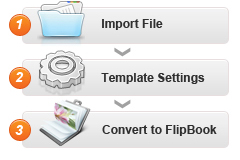
Flip Word is a utility which allows you to convert Microsoft Word documents, images and scanned paper files to page-flipping books. With the powerful converter, your documents can be shown on the Web not only as a standalone document in a separate window but also can be embedded in a web page and shown on the page with other web page content. Besides, you can output in ZIP, EXE or Burn to CD.

For Windows 7, Vista, XP (32 bit and 64 bit systems)

Price:$99.00           Version Number: 3.0.0

buy_now free_trial free_trial

I. Product Features

  1. Easy Import with Various Options
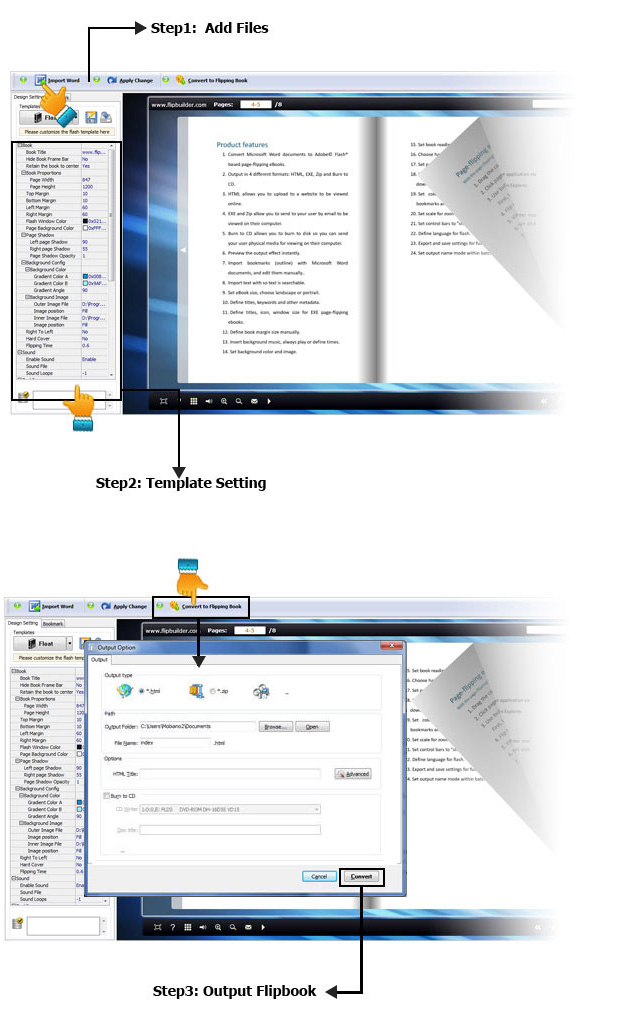
  2. 1. Convert Microsoft Word documents and images to Adobe© Flash® based page-flipping eBooks easily.
  3. 2. Import bookmarks (outline) with PDF, and edit them manually.
  4. 3. Import text so text is searchable, define the minimum search characters.
  5. Define quality and size for normal version and mobile version.
  1. Flexible Output Formats
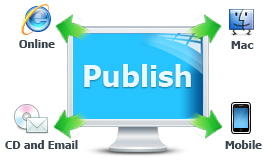
  2. Output in different formats: HTML, EXE, Zip and Burn to CD.
  3. 1. HTML allows you to upload to a website to be viewed online (with title, keywords and other metadata defined).

    2. EXE (with setting title, icon and open window size) and Zip allow you to send to your user by email to be viewed on their computer.

    3. Burn to CD allows you to burn to disk so you can send your user physical media for viewing on their computer.

  1. Customize on Pre-designed Templates
  2. 1. Multiple templates (use built-in templates or download from website).
  3. 2. Preview the output effect instantly.
  4. 3. Define book proportions, margin size, shadow manually.
  5. 4. Set background color and image.
  6. 5. Insert background music either for continuous play (loop) or for a set duration.
  7. 6. Set control bars to "show" or "hide" in full screen.
  8. 7. Set eBook reading from right to left (for Right-to-Left languages such as Arabic).
  9. 8. Choose hard cover for eBooks.
  1. Provide Multiple Control Tools
  2. 1. Set page-flipping to manual or automatic.
  3. 2. Define the language for your published page-flipping eBook.
  4. 3. Add password to protect your page-flipping eBook.
  5. 4. Set permissions for downloadingprinting, sharingHelp button and more.
  6. 5. Edit bookmark manually and set bookmark panel to show on left or right side.
  7. 6. Export and save settings for future uses.
  8. 7. Save and Load your project.

II. Page-flipping eBook features

    With the page-flipping ebook you have created, your user will be able to:

  1. 1.Drag the corner to flip a page.
  2. 2.Click page shadows to flip a page.
  3. 3.Input password to unlock encrypted pages.
  4. 4.View with important pages pre-loaded to open quickly, no need to wait for all pages to be loaded.
  5. 5.Use Previous, Next, First or Last buttons to navigate through the pages.
  6. 6.Flip pages automatically.
  7. 7.View flipbook repeatedly.
  8. 8.View page-flipping eBook full screen.
  9. 9.Use page thumbnails to navigate.
  10. 10.Search whole eBook.
  11. 11.Print out the whole eBook or a selected range of pages.
  12. 12.Download the uploaded page-flipping eBook direct from the web site.
  13. 13.Double-click to zoom in or zoom out.
  14. 14.Zoom in/ out both pages.
  15. 15.Share eBook url via email
  16. 16.Turn page-turning sound on/off.
  17. 17.Open in the Browser to a specific page by adding a page index to your URL. E.G. www.yourdomain.com/index.html?pageIndex=4.

Various Templates and Themes Publish online, email and CD

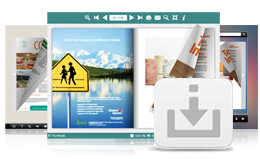
Multiple pre-designed Themes Online you can download to use in Flip programs now, more stunning and amazing templates will be published in future.

Different templates, different layout, different tool bar buttons...

View and Download your favorite templates now!

Create a real flipping effect eBook in minutes Create a real flipping effect eBook in minutes
With the easy-to-use interface, you can create Adobe Flash based flipping eBook in less than 10 minutes.

Watch the tour video to see how easy it is

Publish online, email and CD Publish online, email and CD
You can publish digital (electronic) editions of any type of publications, magazines, brochures and catalogues to web sites, email and even CD-ROM. Your new page-flipping eBook is royalty-free. You don’t need to pay any more to us no matter what your intended purpose is, whether commercial or personal.
Customize your eBook style Customize your eBook style
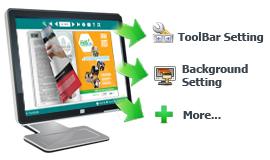
With Flip Word, you can create YOUR OWN STYLES. Customize the page-flipping eBook colors. Set background image to brand it. Customize the toolbar to allow or not allow users to print, to download or to share your page-flipping eBook. Modify height and width to make your image, whether landscape or portrait, show correctly. There are dozens of settings which allow you to customize the page-flipping eBook output.
One-time fee, unlimited conversion One-time fee, unlimited conversion
Once you have purchased the software, you can use the program to convert an unlimited number of PDF files to any number of page-flipping eBooks. No subscription fee, no conversion fee, not limited to a single website.
Free upgrade for ever Free upgrade for ever
Upgrades are always free. Once you have purchased the software, you can use it forever. We reserve the right to raise price for later versions, but you don't need to pay one cent for upgrading.
30 Day Money Back Guarantee 30 Day Money Back Guarantee
We believe our software is exceptional value and work very hard to make sure this remains true. If you are dissatisfied with our service for any reason, you will receive a full refund. Just request a refund by emailing us at alice@flipbuilder.com.


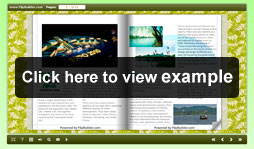
Demo Show

Need new version of Adobe Flash Player。

Video Tutorial

Discount information

60%_off_package

Product Info

Refund Policy

We want you to be 100% satisfied, so we offer an unconditional 30 Day Money!
30day_Money_Back
Copyright 2012 by FlipBuilder.com